

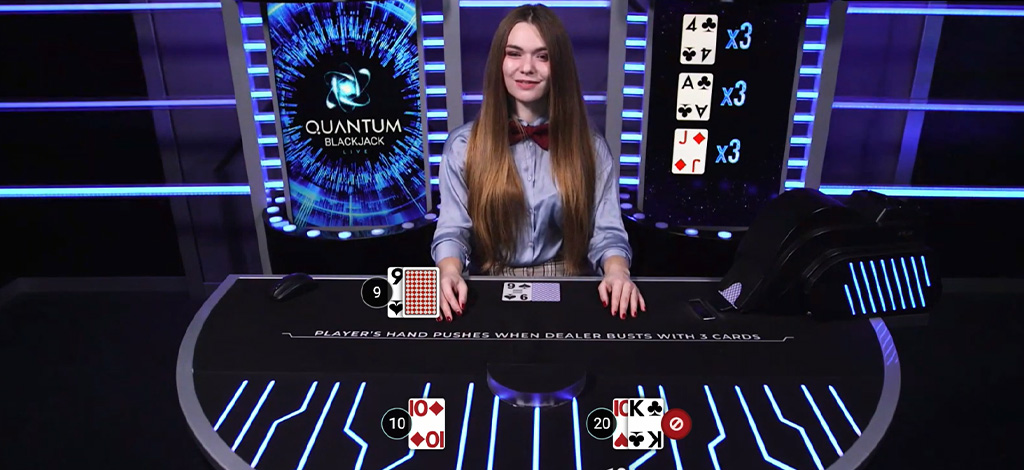
We developed the Live Blackjack Casino mobile app with the deposit experience at its heart because we know that the moment you decide to fund your account is a moment of purpose https://liveblackjack.si/app/. The interface bridges you directly to professionally hosted blackjack streams while offering you a payment cockpit that accommodates the methods Slovenians use every single day. SEPA transfers move euro funds straight from your bank, e-wallets credit instantly, and prepaid vouchers like Paysafecard let you top up without sharing bank information. We ensured the deposit flow identical across Android and iOS so you never re-learn a process when switching devices. This article explains every funding channel, details how to navigate the in-app deposit section, and specifies the security layers that protect each payment. We also discuss device support, operating system prerequisites, and the responsible gaming tools embedded directly into the deposit screen to enable you stay in command from the very first top-up.
Installing and Setting Up the App on Your Smartphone
Android Setup and Access Rights
Owners of Android devices get the APK right from our primary site since Google Play limits real-money gambling apps in specific territories. Navigate to liveblackjack.si/app from your phone browser, press the download button, and enable installation from unknown sources when requested. The package is verified with our developer certificate and undergoes a hash check on every launch to maintain integrity. Once installed, the app asks for only the access it genuinely demands: internet access for streaming and transactions, notification dispatching for deposit alerts, and voluntary biometric access if you decide to lock the cashier with your fingerprint. We never ask for contacts, photo gallery, or location data. The complete process lasts under a minute on a modern device, and the app by default sets the standard currency to euros while choosing local payment systems. If you hit a snag, our support team will guide you through the precise steps for Samsung phones, Xiaomi phones, Huawei devices, and other widely used Android brands that Slovenian players carry.
Setup for iOS and Trust Confirmation
Our iOS app is offered through the authorized App Store under a verified developer account, so you never encounter enterprise certificate prompts or unknown developer warnings. After downloading, the app works with Face ID and Touch ID right away if those functions are enabled. The initial launch shows a transparent privacy summary explaining how we process payment data, and we never store entire card numbers on the device directly. All confidential information is converted into tokens and sent directly to our PCI-compliant payment processor. The app works with iOS versions from 15.0 and later, covering every iPhone from the 6s forward and all current iPad models. We check each update against the latest iOS beta to guarantee deposit flows remain smooth when Apple releases annual operating system upgrades. You can add money to your account with trust even on day one of a new iOS version, being assured that the cashier is verified against the latest security and interface standards.
Security Layers Protecting Every Deposit
Biometric Authentication and Live Warnings
We handle the deposit pipeline as the most security-sensitive component of the entire application. Every piece of payment data travels through a TLS 1.3 encrypted channel, and our payment gateway is certified under PCI DSS Level 1. Both Android and iOS versions offer biometric locking on the cashier, and we strongly recommend enabling it. Once activated, any attempt to enter the deposit screen or confirm a payment triggers a fingerprint or facial recognition prompt. The biometric data never leaves your device; it is processed entirely by the operating system’s secure enclave, and our app gets only a approval or denial. You can also configure a fallback PIN for situations where biometrics are unavailable. Openness is a security feature in its own right, so we trigger a push notification for every deposit completion, failure, or review flag. These alerts are cryptographically signed to block spoofing, and you can customize notification thresholds in the app settings. A weekly summary email lists all deposits, giving you a soft accountability tool that many Slovenian players rely on.
Making Your First Cashier Deposit
Account Verification and Document Upload
Before your first real-money deposit, compliance rules under Slovenian and European anti-money laundering rules require we must verify your identity. The app uses your phone’s camera to capture images of your government-issued ID directly within the upload flow, automatically cropping and turning for clarity. For proof of address, you can provide a PDF bank statement or a photo of a utility bill dated within the last three months. Slovenian players typically use an electricity bill from Elektro Ljubljana or a Telekom Slovenije invoice, all of which our system deals with swiftly. Uploaded files get encrypted at rest and in transit, accessible only to our compliance officers. Most verifications are completed within two hours during working days, and you get a push notification the moment your account is approved. Until then, you can navigate the app, check tables, and play in demo mode, but adding real money demands the green light from our compliance team.
Picking a Payment Method and Confirming
Once verified, the deposit screen presents a clean grid of payment method icons sorted by popularity among Slovenian users. Tapping any icon reveals the minimum and maximum limits, processing time, and applicable instructions. A numeric keypad enables you to enter your desired euro amount, and the app instantly checks it against the method’s boundaries. If you type an amount below the minimum, the deposit button remains grayed out with a gentle hint. We intentionally skip pre-selecting bonus amounts because we feel the deposit decision ought to be yours alone. After you approve the amount, the app sends you to the payment provider’s secure interface for authentication. For cards, this involves a 3D Secure challenge; for e-wallets, a login screen; for bank transfers, a display of our banking details with a one-tap copy function for the reference code. The entire flow from method selection to confirmation rarely takes more than thirty seconds, and for instant methods the funds become visible in your balance before you close the cashier overlay.
Funding Methods Catered to the Slovenian Market
SEPA Transfers and SEPA Incorporation
For many Slovenian players, a straightforward bank transfer feels like the most dependable way to move money, and we have improved this channel to be as fast as the SEPA infrastructure permits. When you choose the bank transfer option within the app, you are shown our IBAN and a unique reference code that links the incoming funds to your player account. You then complete the transfer through your individual online or mobile banking portal. Because Slovenia is totally integrated into the Single Euro Payments Area, transfers initiated during business hours often arrive in your casino balance on the same day, and next-day settlement is standard even for late-day transactions. We do not levy any fees on our part for SEPA deposits, though you should check with your own bank whether they charge for outgoing transfers. The minimum deposit is €20, ensuring the channel is accessible while guaranteeing processing costs do not reduce your playing budget. Every SEPA deposit is protected by the same encryption and anti-fraud monitoring that regulates all other payment methods in our app.
Digital Wallets, Debit Cards, and Prepaid Vouchers
Our cashier also supports the e-wallets, cards, and prepaid solutions that lead everyday transactions in Slovenia. Skrill, Neteller, MuchBetter, and ecoPayz are available directly from the deposit menu, offering instant crediting so you can transition from the cashier to the live blackjack table without hesitation. The integration launches a secure in-app browser where you access your e-wallet provider; we never access your password. Card payments via Visa and Mastercard, including those issued by NLB, SKB, and Abanka, are encrypted on your device and directed to our PCI DSS Level 1 gateway with 3D Secure version two authentication. We convert your card into a token so you can reuse it with a single tap without exposing sensitive data. Prepaid Paysafecard vouchers, purchased at fuel stations and grocery stores across Slovenia, let you deposit by entering a sixteen-digit PIN. The minimum deposit is €5 for vouchers and ten euros for cards and e-wallets, and funds show up in your balance in seconds. All methods present their limits and processing times transparently before you confirm.
Device Compatibility and Performance Factors
Support for Android and iOS
We maintain a compatibility lab with over forty physical devices to make sure the deposit experience works seamlessly on the hardware Slovenian players actually own. Our Android app works with version 8.0 Oreo and above, covering over ninety-five percent of active devices in Slovenia. We have specifically tested the deposit flow on Samsung Galaxy A and S series, Xiaomi Redmi and Mi devices, Huawei P and Mate models, and Google Pixel handsets. The app adapts its interface to different screen sizes, and the cashier remains comfortably tappable on displays from five to six-point-eight inches. We recommend at least three gigabytes of https://www.similarweb.com/website/lotterysambadresult.in/competitors/ RAM for the smoothest multitasking, but the deposit process operates reliably on two gigabytes. On the Apple side, we support every iPhone from the iPhone 8 forward and all iPads running iOS 15 or later. The deposit interface utilizes native UIKit components with haptic feedback on confirmations, and Face ID or Touch ID integration feels identical to system-level authentication. We evaluate each release against the latest iOS beta to guarantee uninterrupted deposit flows.
Tablet and Foldable Device Experience
The growing popularity of foldable phones and larger tablets in Slovenia has led us to adapt the deposit interface for these form factors. On a Samsung Galaxy Z Fold, the app moves smoothly between the cover screen and the unfolded main display, reflowing the cashier into a two-pane view. The left pane shows your available payment methods and deposit history, while the right pane presents the selected method’s details and the amount entry pad. This layout gets rid of back-and-forth navigation and renders the deposit process feel like a natural extension of the device’s capabilities. On larger tablets like the iPad Pro twelve-point-nine-inch or the Samsung Galaxy Tab S series, we implement a similar multi-column layout that shows more information without overwhelming you. Touch targets are optimized for how hands rest on a larger device, locating the deposit confirmation button within easy reach of your thumbs in landscape orientation. The live blackjack stream plays on in a resizable picture-in-picture window while you oversee your funds, so you never lose sight of the table.
Managing Your Deposit Limits and Accountable Gaming Tools
Deposit Caps and Self-Ban Options
We place responsible gaming controls straight into the cashier instead of hiding them in a separate settings menu. When you access the deposit screen, you can view at a glance how much you have put in today, this week, and this month, with color-indicated indicators that turn amber and then red as you near limits you have set. Setting a daily, weekly, or monthly deposit cap takes effect immediately and cannot be overridden without a twenty-four-hour cooling-off period. The limit applies across all payment methods, so you cannot get around a daily cap by changing from a card to an e-wallet. If you attempt a deposit that would surpass your active limit, the app declines the transaction and details exactly which cap would be exceeded. You can reduce limits instantly, while boosting or eliminating a limit demands the waiting period. Beyond caps, the app offers a self-exclusion mechanism that allows you bar access to your account for a period ranging from twenty-four hours to permanent closure. Engaging self-exclusion right away signs you out of all devices, blocks marketing messages, and stops any further deposits or gameplay until the chosen period ends. We have integrated this feature with the Slovenian national self-exclusion register where applicable, ensuring your exclusion extends across other licensed operators if you pick that option.
